Introducing new hospital software can feel like a major undertaking. Staff have different responsibilities, workflows, technical skills, and levels of interaction with patient information. When everyone is presented with the same system and the same set of features, onboarding can quickly become confusing.
HOSIPOA takes a different approach.
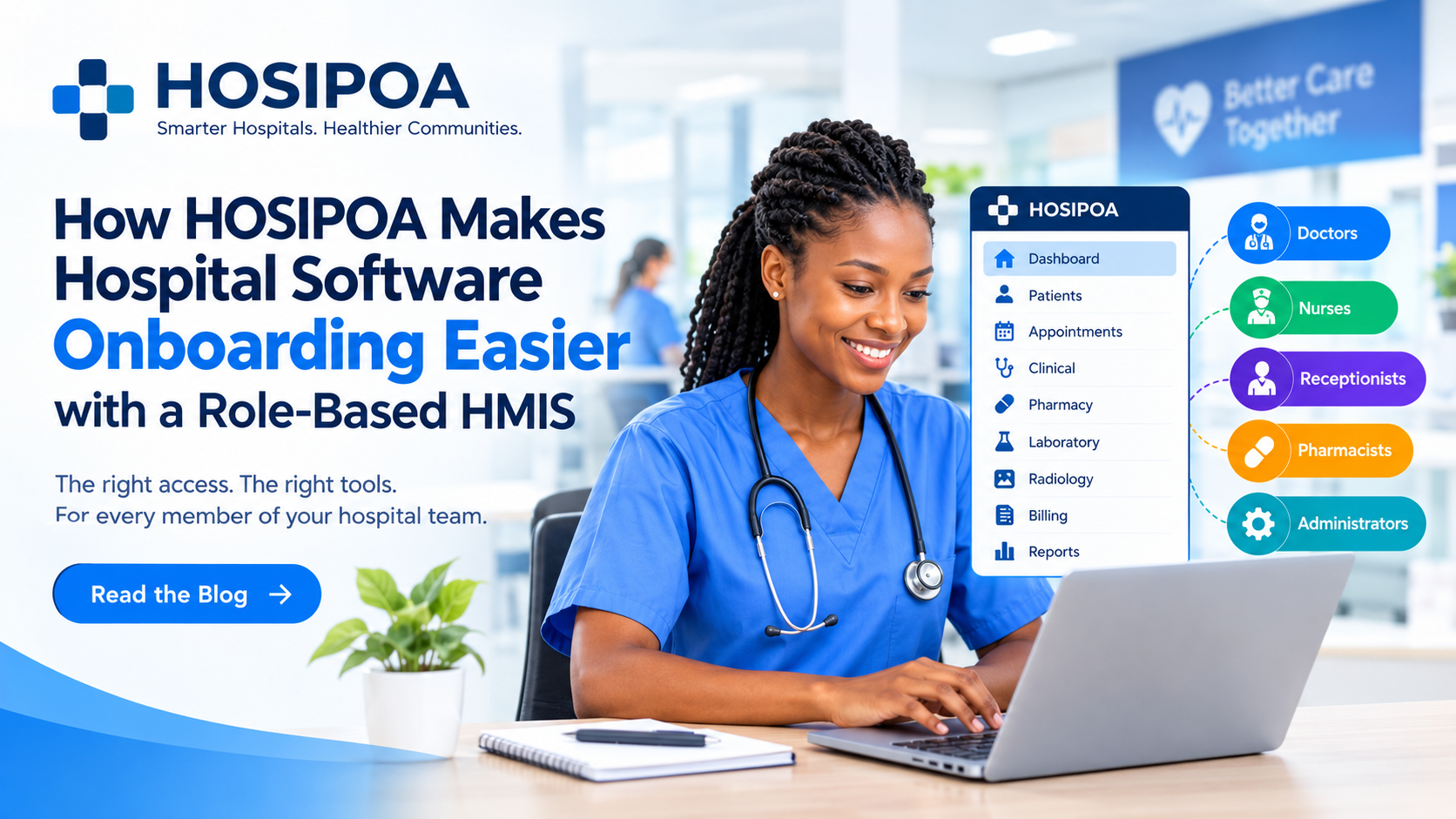
By using a role-based Hospital Management Information System (HMIS), HOSIPOA helps hospitals give each staff member access to the tools and information relevant to their responsibilities. The result is a simpler onboarding experience, clearer workflows, and a system that staff can learn progressively as they use it.
Why Hospital Software Onboarding Can Be Difficult
Implementing a new HMIS involves more than installing software.
A hospital may have doctors, nurses, receptionists, pharmacists, laboratory staff, radiology teams, accountants, administrators, and other professionals. Each department interacts with the hospital's information differently.
For example:
- A doctor needs access to clinical information, diagnoses, orders, and patient history.
- A nurse needs tools for recording vitals, nursing notes, medication information, and care activities.
- A receptionist focuses on registration, check-ins, appointments, and patient queues.
- A billing or finance user needs billing, payments, insurance, and financial information.
- A system administrator needs tools for configuring the system and managing users and permissions.
Giving every employee access to every module can create unnecessary complexity.
Instead, HOSIPOA organizes access around the user's role and responsibilities.
What Is a Role-Based HMIS?
A role-based HMIS assigns system permissions according to the responsibilities of individual users.
Rather than expecting every employee to understand the entire hospital management system, users can work primarily with the functions relevant to their jobs.
For example, when a nurse logs into HOSIPOA, the interface can be organized around nursing activities. A receptionist can work within registration and appointment workflows, while an administrator can access configuration and user-management features.
This approach provides two important benefits:
1. Simpler user experience
Users see fewer irrelevant options, making it easier to understand where to start and which features they need.
2. Controlled access
Hospital information can be accessed according to defined responsibilities and permissions, helping organizations manage who can access different areas of the system.
A Smoother Start for Every Member of the Team
One of the biggest advantages of role-based onboarding is that staff do not need to learn everything at once.
Instead, the onboarding process can begin with the tasks employees perform every day.
For example, a receptionist can first learn how to:
- Register a patient.
- Search for an existing patient.
- Manage check-ins.
- Handle appointments.
- Manage patient queues.
Once the basic workflow becomes familiar, additional functionality can be introduced.
The same principle applies across other departments.
The goal is simple: help users become productive without overwhelming them with features they do not immediately need.
The Right Tools for the Right Role
HOSIPOA's role-based approach can support different hospital departments with workflows tailored to their responsibilities.
Doctors
Doctors can work with clinical information and patient-care workflows, including areas such as:
- Patient records
- Clinical notes
- Diagnoses
- Orders
- Laboratory and radiology requests
- Treatment-related information
- Patient history
Instead of navigating through administrative functionality that is unrelated to clinical work, doctors can focus on the information required for patient care.
Nurses
Nursing teams have their own set of responsibilities and workflows.
Depending on the hospital's configuration, nurses can work with functions such as:
- Recording patient vitals
- Nursing notes
- Care plans
- Medication-related records
- Patient monitoring
- Ward workflows
This creates a more focused working environment and makes it easier for new nursing staff to understand where common tasks are performed.
Receptionists
Reception is often one of the first points of interaction between a patient and the hospital.
HOSIPOA can help reception teams manage workflows such as:
- Patient registration
- Patient search
- Check-ins
- Appointments
- Queues
- Patient information verification
A focused interface can make these frequently performed tasks easier to locate and use.
Finance and Billing Teams
Financial workflows require a different set of tools.
Depending on the hospital's setup, finance and billing users can work with functions such as:
- Patient billing
- Payments
- Invoices
- Insurance-related workflows
- Financial records
- Payment tracking
Keeping these functions within appropriate user roles can help reduce unnecessary navigation and support clearer separation of responsibilities.
Hospital Administrators
Administrators need a broader view of hospital operations.
Administrative roles may include access to:
- User management
- Role and permission configuration
- Hospital settings
- Reports
- Operational information
- System configuration
Because administrators have different responsibilities from clinical or reception staff, their workspace can be structured accordingly.
Less Clutter, More Focus
One of the simplest problems a role-based system solves is interface clutter.
Imagine opening a hospital system and seeing dozens of modules that have nothing to do with your daily responsibilities.
Even if those modules are useful to someone else, they can make the system harder to understand.
Role-based access changes this experience.
Instead of asking:
"Where do I find the function I need among all these options?"
the user can begin with a more focused environment:
"These are the functions I use for my role."
That distinction can make a significant difference during onboarding.
Onboarding Becomes Easier for New Employees
Hospital staff change over time. New employees join, existing employees change departments, and responsibilities evolve.
A role-based HMIS can make these transitions easier to manage.
When a new employee joins the organization, administrators can create an account and assign the appropriate role and permissions.
The employee can then begin learning the workflows relevant to their position.
This means onboarding doesn't have to start with an explanation of the entire hospital information system.
Instead, training can be organized around practical responsibilities.
For example:
Day 1: Login, navigation and basic patient workflow
Day 2: Core role-specific tasks
Day 3: More advanced workflows
Ongoing: Reports, additional modules and best practices
The exact training process will vary between hospitals, but the principle remains the same: introduce complexity progressively.
Role-Based Access Can Also Support Better Security
Ease of use is only one part of the equation.
Healthcare organizations also need to carefully manage access to sensitive information.
A role-based system allows hospitals to define what different categories of users can access and what actions they can perform.
For example, a user responsible for reception may not need access to administrative configuration, while a system administrator may require access to user-management functions.
This supports the principle of least-privilege access: users receive the permissions needed for their responsibilities rather than automatically receiving access to every part of the system.
Of course, the exact permissions and security controls should be configured according to each facility's policies, operational requirements, and applicable healthcare regulations.
HOSIPOA Is About More Than Logging In
Successful HMIS implementation isn't measured simply by whether employees can log into a system.
The bigger question is:
Can the hospital team actually use the system effectively in their daily work?
That's where thoughtful onboarding becomes important.
A well-designed onboarding experience should help staff understand:
- Where to find the functions they need
- How their department's workflow operates within the system
- Which information they are responsible for entering
- Which information they can access
- How different departments interact through the system
With a role-based HMIS, the software becomes easier to approach because the user's responsibilities provide the starting point.
From Department Silos to Connected Workflows
Hospitals depend on departments working together.
A patient may begin at reception, proceed to consultation, visit the laboratory or radiology department, receive treatment or medication, and eventually interact with billing or insurance workflows.
Although different staff members perform different tasks, they are working around the same patient journey.
A centralized HMIS can connect these workflows while still allowing each user to work within an appropriate role.
This creates a balance:
Connected hospital operations behind the scenes.
Focused workflows for users on the front end.
Making Digital Transformation More Approachable
Moving from paper-based processes or disconnected systems to a modern HMIS can be a significant change for a healthcare facility.
Technology adoption becomes easier when staff understand how the system supports the work they already do.
Instead of presenting HOSIPOA as a massive collection of software modules, the role-based approach makes the experience more familiar:
"Here are the tools you need to do your job."
That can make digital transformation feel more practical and manageable for hospital teams.
The HOSIPOA Approach
HOSIPOA is designed around a straightforward idea:
The hospital system should adapt to the people using it.
By organizing access around roles, hospitals can create a more focused environment for different teams while maintaining a connected information system across the organization.
From reception and nursing to clinical care, billing and administration, each team can work with the tools relevant to its responsibilities.
The result is an onboarding experience centered on people, roles and workflows—not just software features.
A Simpler Way to Get Your Team Started
Introducing hospital software doesn't have to mean overwhelming your team with complicated menus, unfamiliar workflows and unnecessary functionality.
With a role-based HMIS, onboarding can start with what matters most to each employee.
The right user.
The right access.
The right workflow.
That's the idea behind HOSIPOA.
Simpler onboarding. Smarter operations. Better healthcare.